
The best AI study tools can make reading, writing, revision, and research easier. The problem is that every task seems to require a different app. You use one tool for grammar, another for flashcards, another for PDFs, and another whenever you need a quick explanation. Before long, your study setup starts to feel like a digital junk drawer.
AI tools for education can be genuinely useful, but switching between a dozen separate platforms can create more work than it saves. You need to decide which tools are worth your time, where each one fits, and whether there is a simpler way to connect them.
Here are five essential AI study tools and categories for students in 2025. Each has a clear role, along with limitations you should understand before making it part of your workflow.
1. The AI grammar checker and paraphraser
An AI grammar checker is your first line of defense against spelling mistakes, incorrect punctuation, and awkward phrasing. More advanced tools can also reword sentences so that they sound clearer, more fluent, or more appropriate for academic work.
A popular example is Grammarly. You can use this type of tool to polish essays, emails to professors, discussion board posts, and other assignments. It is particularly useful when you understand what you want to say but cannot find a clear way to phrase it.
This category is essential because small mistakes can weaken otherwise strong work. A grammar checker helps you catch problems that are easy to miss when you have been looking at the same draft for hours. Its paraphrasing tools can also help you revise sentences rather than simply correcting individual errors.
The main limitation is that a grammar checker works best once you already have text. It can improve and polish your writing, but it does not necessarily help you develop the initial argument or produce the first draft. Think of it as a finisher rather than a starter.

2. The AI PDF summarizer and reader
When you have been assigned a long academic paper or dozens of textbook pages, an AI PDF summarizer can help you get oriented. You upload a dense document, and the tool identifies its main arguments and ideas. This gives you a high-level overview before you begin a closer reading.
A popular example is QuillBot. Tools in this category can help you decide whether a source is relevant to your research before you spend a long time reading it in full. They can also make heavy weekly reading loads feel more manageable by showing you the structure and central points first.
That does not mean a summary should always replace the original material. The main benefit is that it helps you understand what a document covers and where you may need to pay closer attention. It is a practical way to approach difficult reading with some context instead of starting cold.
The limitation is that the resulting insights often remain separate from the rest of your work. Once you understand the document, you still need to move into another app or writing tool to discuss it, develop an argument, or draft your assignment.
3. The AI flashcard and quiz generator
Active recall is a proven approach to memorization, but making revision materials by hand can be tedious. AI flashcard and quiz generators reduce that preparation time by turning your notes or documents into flashcards, multiple-choice questions, and other materials that test your knowledge.
A popular example is Quizlet. Instead of spending a large part of your revision session copying definitions onto cards, you can create an interactive study set from material you already have. This makes it easier to test yourself rather than repeatedly rereading the same notes.
These tools are especially useful during exam preparation because they turn passive material into questions you need to answer. The quiz format can also make revision feel more engaging and give your study session a clearer structure.
The drawback is that flashcard tools are often disconnected from your reading, research, and writing process. You may have to copy notes from a PDF reader or document, paste them into the flashcard app, and then organize the resulting study set. The tool is useful, but the transfer between platforms adds another step.
4. The AI chatbot for quick answers
An AI chatbot can act like an on-demand tutor when you get stuck. You can ask it to explain a difficult concept, compare two historical figures, brainstorm ideas for a paper, or give you a simpler explanation of a scientific theory.
A popular example is the free version of ChatGPT. This type of tool is useful during those moments when one unanswered question is stopping you from continuing. Instead of getting distracted by a long trail of search results, you can ask a direct question and get a quick explanation that helps you return to your work.
Chatbots are also flexible. The same conversation can move from defining a term to breaking down an idea or helping you think through possible directions for an assignment. That makes them helpful for general questions across different subjects.
The limitation is context. A general-purpose chatbot does not automatically know what is inside your assigned PDF, textbook, or class notes. Without access to your specific material, its response may be too broad for the task. You cannot assume that a general answer addresses the exact argument, terminology, or details in the document you are studying.
5. The all-in-one solution: an integrated AI study tool
The first four categories cover the main parts of a typical study process: writing, reading, revision, and asking questions. Used separately, they are capable tools. The difficulty is that you may need several tabs, accounts, and subscriptions to complete one assignment.
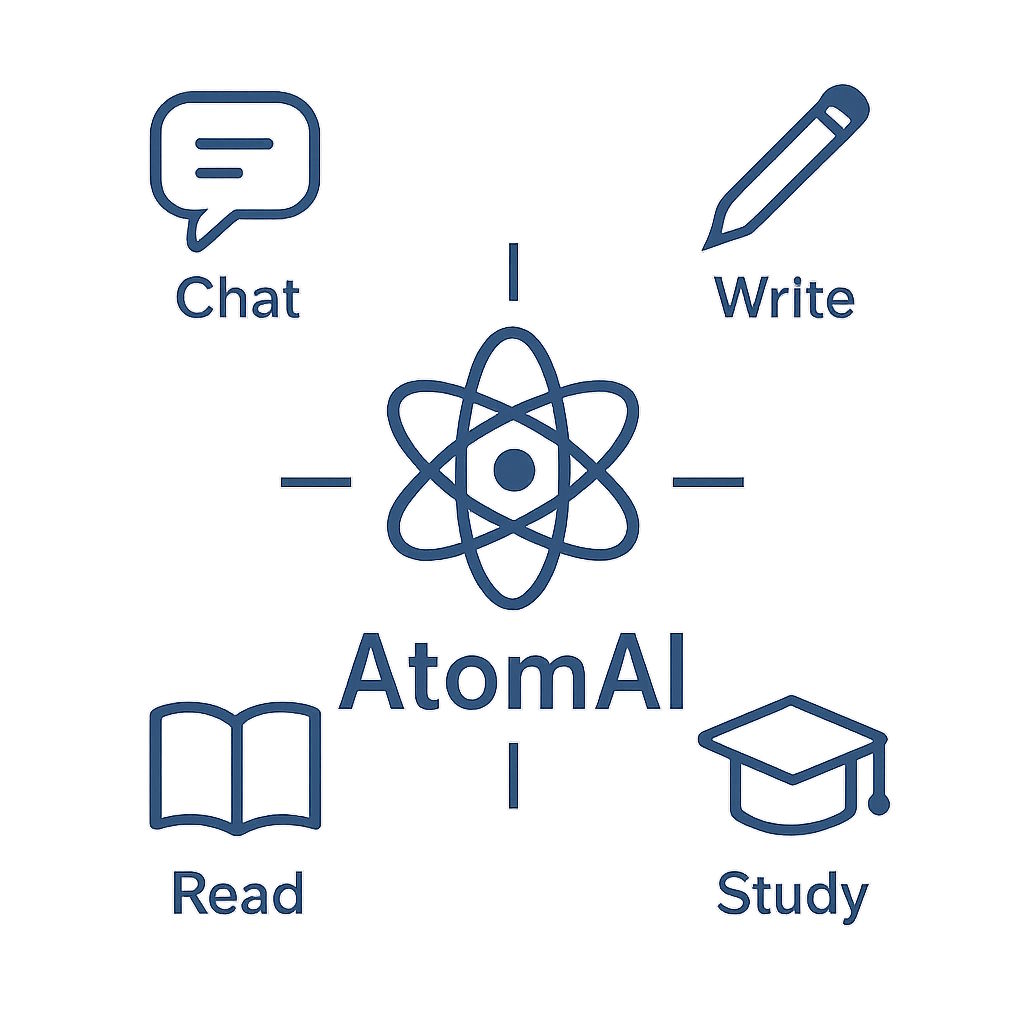
This is where the best AI study tools are heading in 2025: integration. AtomAI is an all-in-one example built around four connected modes. Chat lets you ask questions and work with documents, Write helps you draft, improve, review, and paraphrase text, Read summarizes PDFs and lets you ask about them, and Study turns a document into flashcards.
The important difference is not simply having several features in one place. It is being able to move through a complete study workflow without repeatedly transferring your material between unrelated apps. The tools support different stages of the same task rather than treating reading, writing, and revision as separate activities.
For example, you can read a PDF and get a summary, then switch to Chat and ask specific questions about that same document. You can take the useful insights from that conversation into Write and draft a paragraph for your essay. Once the draft or source material is ready, you can use Study to create flashcards and practice the content before an exam.
Compared with using separate apps, this approach reduces the need to copy and paste between five different tabs. It also avoids building a study system around multiple separate subscriptions. The choice is between a disconnected collection of useful tools and one workflow where reading, questions, writing, and revision are connected.
Try AtomAI for free to read, ask questions, write, and create study materials in one connected workflow. Try AtomAI free
Study apps give you useful ways to improve grammar, manage long readings, create flashcards, and get quick explanations. Each of the first four tools is valuable for a specific job, but each also has a boundary where you need to move your work somewhere else.
If you are comfortable managing several focused apps, you can combine them into your own system. If constant tab switching and copying material is getting in the way, an integrated platform offers a simpler alternative. The right choice is the one that helps you spend less time managing tools and more time reading, writing, and revising.