
Lecture slides often look more useful than they are. They give you headings, definitions, diagrams, and examples, but they rarely contain the full explanation you heard in class. Reading the same deck repeatedly can feel productive without showing whether you can explain or apply the material.
To revise from lecture slides effectively, treat them as a map rather than a finished set of notes. Your job is to identify what matters, fill important gaps, and turn the content into questions you can answer without looking. The process below works whether you have one lecture to review or a folder of decks to prepare for an exam.
Start by sorting the slide deck
Do not begin by rewriting every slide. First, move through the entire deck at a steady pace and identify its structure. Look for the lecture title, stated learning objectives, recurring terms, major theories, processes, formulas, case studies, and summary slides.
Divide the material into three categories. The first is core knowledge: ideas you probably need to define, explain, compare, calculate, or apply. The second is supporting material, such as examples that clarify a core idea. The third is administrative or low-priority material, including reminders, repeated title slides, and references you are not expected to memorize.
Use the module guide, learning objectives, assignments, and any practice questions to judge importance. Visual emphasis can help, but bold text is not automatically examinable. A plain-looking formula or short definition may matter more than a colorful example spread across several slides.
Mark each slide with a simple action
- Keep: The slide already states a clear definition, process, formula, comparison, or example that you understand.
- Expand: The slide contains a heading, image, quotation, or short bullet that only makes sense with the lecturer’s explanation.
- Check: You are unsure what the slide means or whether the information is accurate and complete.
- Convert: The material is understood well enough to turn into a recall question, flashcard, or practice task.

Fill gaps without building a second textbook
Sparse slides often need extra context, but expansion should be selective. Add only what helps you understand or use the core material. Your lecture notes are the best first source because they capture explanations given alongside the slides. After that, check assigned readings or a reliable course source.
For each unclear slide, ask what is missing. You may need a definition in your own words, one step in a process, an explanation of a diagram, a worked calculation, or a connection between two topics. Add the missing information beside the relevant slide or in one organized document. Keeping it attached to the original topic makes it easier to find later.
Set a boundary for uncertain details. If a slide mentions a large topic but the course only covers one part of it, do not summarize the entire textbook chapter. Follow the scope set by the lecture objectives and course materials. When you need clarification, write a precise question to ask your instructor rather than marking the whole topic as confusing.
If your slides are saved as a PDF, AtomAI’s Read mode can summarize the document and let you ask questions about it. Use the answers as a starting point, then compare important details with your course materials. This is especially useful when a slide contains a phrase or relationship that you cannot place in context.
Turn slide content into recall questions
Once the material makes sense, stop polishing your notes. Convert each important idea into a question that requires you to retrieve an answer. This is the step that changes a slide deck from something you read into something you can revise from.
A definition can become “What does this term mean, and why does it matter?” A process can become “What are the stages, and what happens at each one?” A comparison can become “How do these two theories differ?” A formula can become a problem where you must choose and apply it. A diagram can become a blank sketch that you label from memory.
Avoid questions that reveal the answer through their wording. “Is working memory limited?” gives you little to retrieve. “What are the main limits of working memory, and how do they affect learning?” requires an explanation. Also avoid putting an entire lecture on one flashcard. Split large topics into focused prompts, then add one broader question that asks you to connect them.
You can create questions in a notebook, document, or flashcard set. AtomAI’s Study mode can turn a document into flashcards, but check each card before using it. Remove trivial prompts, split overloaded answers, and rewrite vague questions so they match what your course expects.
Practice before checking the slides
When you revise from lecture slides, keep the slides closed during your first attempt. Choose a topic or question and write, say, draw, or calculate everything you can remember. Only then open the deck and compare your answer.
Mark what was correct, what was incomplete, and what was mistaken. Do not copy the full slide afterward. Add only the missing point or correction to your answer. Then close the source and try again later. This keeps your attention on gaps rather than material you already know.
Use the format your exam demands. For an essay-based subject, practice explaining relationships and building short arguments. For math or science, solve problems without following a displayed example. For a process or anatomy topic, draw and label from memory. For a language course, produce the word, rule, or construction rather than simply recognizing it.
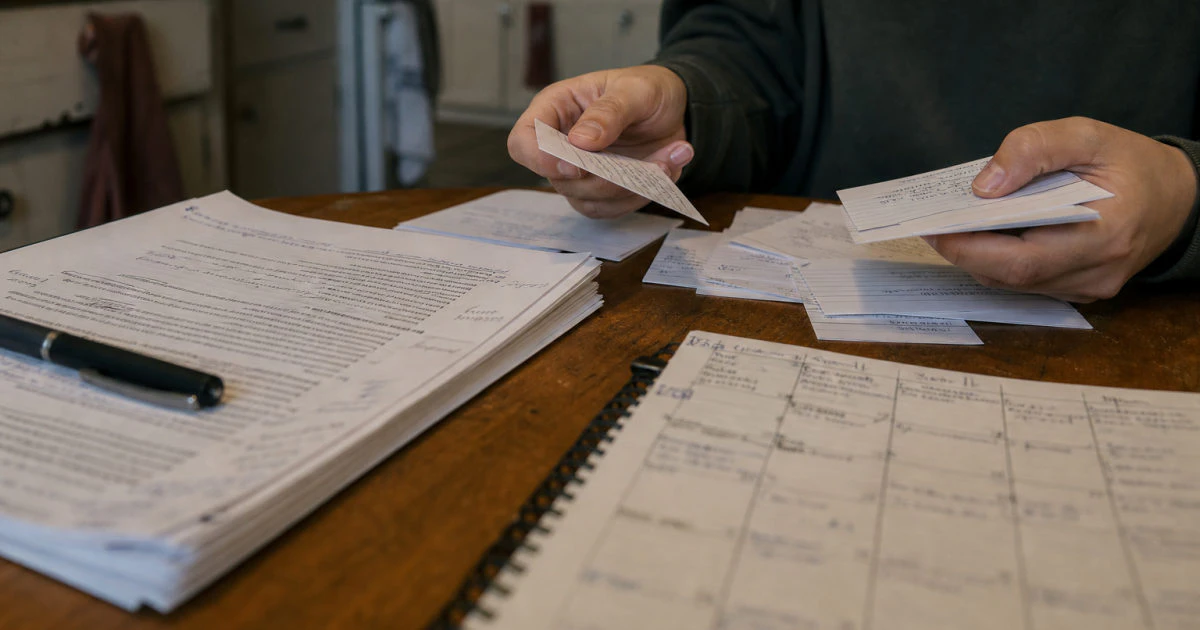
It also helps to mix material from different lectures. If you always practice questions in slide order, the sequence can act as a clue. Shuffle your flashcards, combine topics, or choose questions from several decks so that you must identify the relevant idea yourself.
Build a review cycle you can maintain
A converted slide deck still needs repeated use. After your first recall attempt, separate questions into secure, uncertain, and weak groups. Review weak material sooner, but continue testing secure material occasionally so you do not mistake familiarity for lasting knowledge.
You do not need to revise every lecture for the same amount of time. Prioritize topics that are important to the course and difficult for you. A short, difficult recall session is usually more informative than a long rereading session because it produces evidence about what you can and cannot do.
Keep a small error log as you work. Record the question, the mistake, and the corrected idea in one or two lines. Before the next session, test yourself on those errors first. If you answer one correctly, keep it in rotation until you can retrieve it on more than one occasion.
Near the exam, move from individual flashcards toward larger tasks. Explain a full topic without prompts, compare material across lectures, complete practice problems, or plan answers to likely question types. The slides remain a checking source, but they should no longer control the order or shape of your thinking.
Keep reading
- See how to build active recall into a complete revision session
- Learn how to make flashcards that require a real answer
- Plan when to review each lecture without overloading your week
If your lecture slides are in a PDF, use AtomAI to summarize the file, ask questions about unclear sections, or turn the material into flashcards. Check the output against your course materials, then practice answering without the slides open. Try AtomAI free
To revise from lecture slides, do not treat the deck as a script to reread or copy. Sort the slides, fill only the gaps that affect understanding, convert key ideas into questions, and answer those questions before checking the source.
Your finished resource does not need to look polished. It needs to help you explain, compare, calculate, draw, or apply the material without prompts. When your work is organized around those actions, lecture slides become a useful starting point instead of the whole revision method.